All tutorials
ChatGPT

Working in Projects, Managing Context & Prompts in ChatGPT

Ionut CiobotaruJul 6, 20265 min
Working in Projects, Managing Context & Prompts in ChatGPT

A guide on best practices on getting the most out of hypd in ChatGPT: Using projects, project instructions, and pre-made HYPD prompts.

Once HYPD is connected, this is where the real work happens.

1. Always work in projects

In ChatGPT, set up one project per client for agencies or a single project for your brand. Projects give ChatGPT shared context across chats and files, all in one place, so you never have to re-explain yourself.

Inside a project, you can keep all your chats, files, and instructions for that client together.

Set the memory to "Project-only"

When you create a project, click More options and set the Memory to Project-only before you finish.

Its usually recommende to work in Project-only, so one client's context never bleeds into another account or into your personal chats. Then click Create project.

2. Set up your project instructions

Give ChatGPT context about the account by adding project instructions. Open the project, click the menu (top right) → Edit instructions.

Paste the template below as a base and swap in the ad account ID and platform:

Copy
Project Setup Template
This project is dedicated to [company name] with the [insert platform, e.g. Google Ads] ad account id [insert ad account]. If anything about my prompts is unclear, ask me for clarification. If the output format is not specified, ask whether I would like the result as a chat response, Excel file, PowerPoint presentation, or Word document.

This speeds ChatGPT up on every request and is currently our go-to template for the best experience.
Managing client context

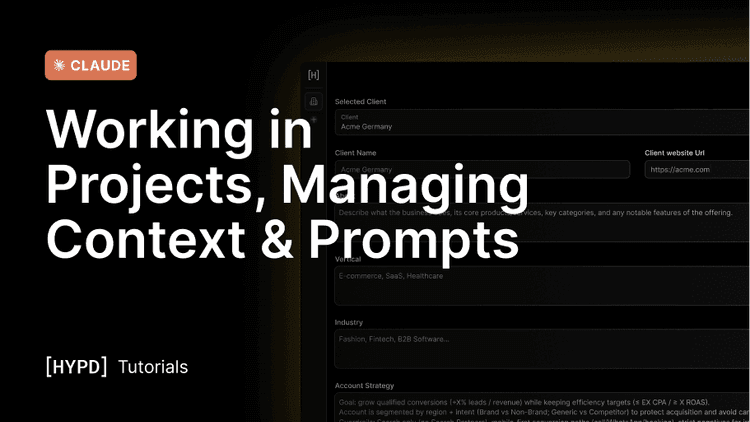
Giving ChatGPT context about the account massively improves the quality of the answers — the business itself, plus the marketing and account strategy, for every answer.

The most important things to add:

  • Client Name + Client URL
  • Account Strategy: What is the overall goal? How is the account structured? What is important for the AI to know?

Keep updating the instructions whenever a recommendation doesn't make sense, so you can correct it going forward. For instance, if ChatGPT keeps recommending pausing a campaign that you're deliberately testing, add a note that it's a test and that you're aware of the underperformance. Do this consistently and the "blind spots" will soon be covered.

3. Use pre-made prompts and workflows

HYPD ships with pre-made prompts created by expert PPC marketers. Activate them by adding @hypd and asking for a "prompt overview":

Copy
Prompt Overview
@hypd show me the prompt overview

ChatGPT then guides you through a drill-down to find the most useful prompt template for what you want to achieve. Or, if you want to cut to the chase, ask directly for a category:

Copy
Prompts by Category
@hypd what prompts do you have for audits

Bring paid media into your AI, safely.