A guide on best Practices to managing client ad accounts in Claude Cowork using projects, client context, and pre-made HYPD prompts.
Once Claude is connected, this is where the real work happens.
1. Always work in projects
In Claude Cowork, set up one project per client.
Working inside projects keeps context, files, and instructions together so you never have to re-explain yourself.
Inside a project, you can:
- Use the chat to ask Claude to do work
- Create scheduled tasks
- Save artifacts (reports, analyses) and live dashboards
It makes a lot of sense to always keep one project per client or ad account.
Setting up projects
When you create a project from scratch, add the project name and instructions. For the best experience, paste the template below into the project instructions as a base and swap in the ad account ID and platform.
This speeds Claude up on every request and is currently our go-to template for the best user experience in Claude.
Copy and paste these instructions and fill in the gaps:
2. Setting up & managing client context
Giving Claude context about the account massively improves the quality of the answers. It gives the AI context about the business itself, as well as the marketing and account strategy, for every answer.
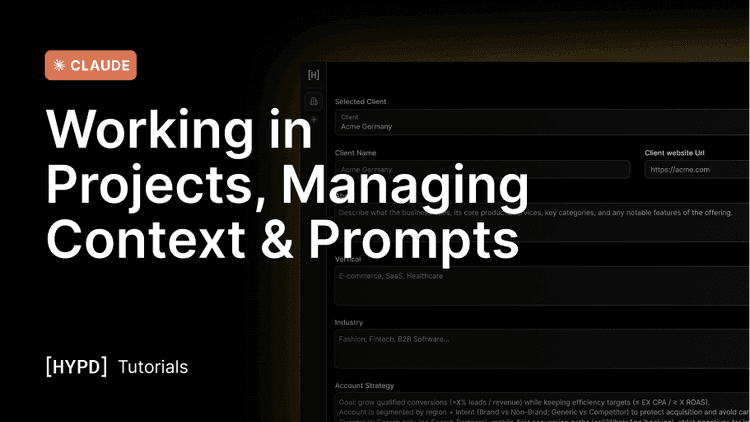
We suggest that you set up the context initially in the app for each ad account, which is synced with Claude, simply because it is much faster in HYPD.
However, you can also do it directly in Claude by prompting "setup client context", and it will guide you through the questions.
Managing context from Claude
You can view and update the context from within Claude by simply asking:
- View: "What client context is set up for this account?"
- Update: "Can you add to the context that we are testing a new format in the 'EU - Leadform' campaign and that it should be excluded from any account analysis?"
The information you add or update from Claude is also reflected in the Hypd context overview, so it's always in sync, and vice versa.
What you should be adding as context
For the basic setup, the most important information to add is the following:
- Client Name + Client URL
- Account Strategy: What is the overall goal? How is the account structured? What is important for the AI to know?
Once you start using Hypd and Claude on a specific account, I suggest you keep updating the context whenever recommendations don't make sense, so you can correct them going forward.
For instance, if Claude keeps recommending pausing a campaign that is underperforming, but you are already aware of it because you're testing something, ask Claude to "add to the context that it is a test and that you are aware of the underperformance."
If you keep doing this, all the "blind spots" will be covered soon.
3. Use pre-made prompts and workflows
Hypd ships with pre-made prompts created by expert PPC marketers that you can activate by simply asking for a "prompt overview". Claude then guides you through a drill-down, in a conversational style, to find the most useful prompt template for what you want to achieve.
Or, if you want to cut to the chase, you can also directly ask for a category: "What prompts do you have for audits?"